

What happens when the internet goes down?
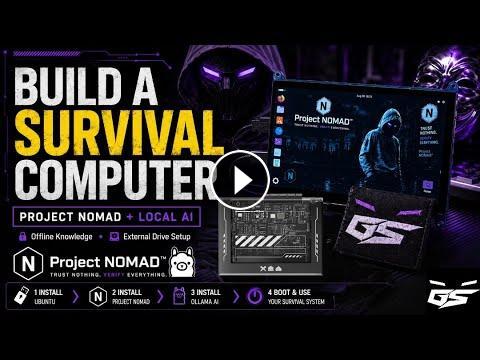
In this video, I walk you through how to build a powerful OFFLINE SURVIVAL COMPUTER using Project Nomad — giving you access to an offline knowledge database, useful resources, local AI, and more without depending on an active internet connection.
Project Nomad is a free community-built project designed to preserve important information and make it available locally through a web browser. Instead of relying entirely on cloud services, you can create your own offline knowledge system that remains available when the internet isn’t.
I demonstrate the standard Project Nomad installation process, but I also take the idea a step further.
Rather than installing everything directly onto my everyday computer, I built a dedicated external bootable Ubuntu drive. This allows the operating system, Project Nomad database, tools, files, and local AI setup to live together on one portable drive.
Plug it into a compatible computer, boot from the external drive, and you essentially have a dedicated survival computer environment.
IN THIS VIDEO:
• What Project Nomad is
• Why offline information matters
• Standard Project Nomad installation
• Installing Project Nomad on Ubuntu
• Building a dedicated external bootable drive
• Creating a portable survival computer
• Using an offline/local AI model
• Keeping important information available without internet
• BIOS and boot-drive considerations
• Tips from my own installation
• Scripts and automation tools I used to simplify parts of the setup
• Ideas for expanding your own offline knowledge database
You DO NOT need to build the exact setup shown in this video.
If you simply want Project Nomad installed on your normal computer, you can follow the standard installation process. My external-drive setup is an optional approach for people who want a more dedicated or portable system.
WHY BUILD AN OFFLINE COMPUTER?
Modern computers depend heavily on internet connections, cloud services, online documentation, and remote AI platforms.
An offline survival computer can store resources such as:
• Survival information
• Emergency preparedness guides
• Medical references
• Maps and navigation resources
• Radio communications information
• Technical manuals
• Linux documentation
• Cybersecurity references
• Educational material
• Repair information
• Offline Wikipedia-style databases
• Local AI models
• Important personal documents
The goal isn’t to predict some massive disaster.
The goal is simple: redundancy.
If the internet is unavailable, censored, overloaded, damaged, or simply inaccessible where you are, you still have access to information.
LOCAL AI
One of the coolest additions to this setup is running AI locally.
Instead of sending every question to an online service, a compatible local AI model can run directly on your hardware. Performance will depend heavily on your CPU, RAM, GPU, and the model you choose, so lower-powered systems may require smaller models.
Once the necessary models and software are downloaded, a properly configured local AI environment can operate without an internet connection.
EXTERNAL BOOT DRIVE
My setup uses a separate drive containing Ubuntu and the survival environment.
This keeps the system isolated from my normal computer installation and allows me to dedicate the drive specifically to offline resources.
Hardware and BIOS/UEFI compatibility can vary between computers, so your experience may be different depending on the system you use.
PROJECT NOMAD
Project Nomad is a community project — I did not create it.
Huge credit goes to the developers and community members who built and continue improving the project.
Project Nomad:
https://projectnomad.us
This video is about showing you how I installed it, how I modified my setup, problems I encountered, and ideas you can use when building your own system.
IMPORTANT:
Download the information, software, operating systems, AI models, documentation, and resources you want BEFORE you actually need them.
An offline computer is only as useful as the information stored on it.
You can start simple and continue expanding the system over time.
Build it.
Test it.
Learn how to boot it.
Know where your information is stored.
Because having 500 GB of survival information means very little if you don’t know how to access it when something goes wrong.
Educational purposes only. Any cybersecurity, scripting, automation, or technical tools demonstrated on this channel should only be used on systems you own or have explicit authorization to test.
Safety is an Illusion.
#ProjectNomad #SurvivalComputer #OfflineInternet #OfflineAI #LocalAI #Ubuntu #Linux #Preparedness #SurvivalTech #OfflineDatabase #EmergencyPreparedness #CyberSecurity #TechPreparedness #cybersecurity #ghoststrats #ethicalhacking
In this video, I walk you through how to build a powerful OFFLINE SURVIVAL COMPUTER using Project Nomad — giving you access to an offline knowledge database, useful resources, local AI, and more without depending on an active internet connection.
Project Nomad is a free community-built project designed to preserve important information and make it available locally through a web browser. Instead of relying entirely on cloud services, you can create your own offline knowledge system that remains available when the internet isn’t.
I demonstrate the standard Project Nomad installation process, but I also take the idea a step further.
Rather than installing everything directly onto my everyday computer, I built a dedicated external bootable Ubuntu drive. This allows the operating system, Project Nomad database, tools, files, and local AI setup to live together on one portable drive.
Plug it into a compatible computer, boot from the external drive, and you essentially have a dedicated survival computer environment.
IN THIS VIDEO:
• What Project Nomad is
• Why offline information matters
• Standard Project Nomad installation
• Installing Project Nomad on Ubuntu
• Building a dedicated external bootable drive
• Creating a portable survival computer
• Using an offline/local AI model
• Keeping important information available without internet
• BIOS and boot-drive considerations
• Tips from my own installation
• Scripts and automation tools I used to simplify parts of the setup
• Ideas for expanding your own offline knowledge database
You DO NOT need to build the exact setup shown in this video.
If you simply want Project Nomad installed on your normal computer, you can follow the standard installation process. My external-drive setup is an optional approach for people who want a more dedicated or portable system.
WHY BUILD AN OFFLINE COMPUTER?
Modern computers depend heavily on internet connections, cloud services, online documentation, and remote AI platforms.
An offline survival computer can store resources such as:
• Survival information
• Emergency preparedness guides
• Medical references
• Maps and navigation resources
• Radio communications information
• Technical manuals
• Linux documentation
• Cybersecurity references
• Educational material
• Repair information
• Offline Wikipedia-style databases
• Local AI models
• Important personal documents
The goal isn’t to predict some massive disaster.
The goal is simple: redundancy.
If the internet is unavailable, censored, overloaded, damaged, or simply inaccessible where you are, you still have access to information.
LOCAL AI
One of the coolest additions to this setup is running AI locally.
Instead of sending every question to an online service, a compatible local AI model can run directly on your hardware. Performance will depend heavily on your CPU, RAM, GPU, and the model you choose, so lower-powered systems may require smaller models.
Once the necessary models and software are downloaded, a properly configured local AI environment can operate without an internet connection.
EXTERNAL BOOT DRIVE
My setup uses a separate drive containing Ubuntu and the survival environment.
This keeps the system isolated from my normal computer installation and allows me to dedicate the drive specifically to offline resources.
Hardware and BIOS/UEFI compatibility can vary between computers, so your experience may be different depending on the system you use.
PROJECT NOMAD
Project Nomad is a community project — I did not create it.
Huge credit goes to the developers and community members who built and continue improving the project.
Project Nomad:
https://projectnomad.us
This video is about showing you how I installed it, how I modified my setup, problems I encountered, and ideas you can use when building your own system.
IMPORTANT:
Download the information, software, operating systems, AI models, documentation, and resources you want BEFORE you actually need them.
An offline computer is only as useful as the information stored on it.
You can start simple and continue expanding the system over time.
Build it.
Test it.
Learn how to boot it.
Know where your information is stored.
Because having 500 GB of survival information means very little if you don’t know how to access it when something goes wrong.
Educational purposes only. Any cybersecurity, scripting, automation, or technical tools demonstrated on this channel should only be used on systems you own or have explicit authorization to test.
Safety is an Illusion.
#ProjectNomad #SurvivalComputer #OfflineInternet #OfflineAI #LocalAI #Ubuntu #Linux #Preparedness #SurvivalTech #OfflineDatabase #EmergencyPreparedness #CyberSecurity #TechPreparedness #cybersecurity #ghoststrats #ethicalhacking
- Категория
- AI инструменты

Комментариев нет.
Следующее
Auto
-
21:22

COMPUTER-20 INTERNET MCQ-06 CG VYAPAM, CGPSC, CG SI, CG ASI CGTET
-
00:40
try gambling to get money fast on project slayers 2 at u own risk #roblox #projectslayers2
-
00:48
We Tested 11+ AI Database Tools — This One Stood Out
-
01:05
POV: The internet is helping build a playground for your daycare kids
-
08:33
How to Build Your Own Agent OS
-
00:10
The best remote setup on the internet.
-
01:49
Leveraging your phone and an internet connection to build an income stream typically involves either
-
00:08
Судьба всех новичков в Project Reality #military #Battlefield 2 #Project Reality
-
28:33
7 BEST FREE AI Tools That Will Replace 99% of Project Managers Work - AI for Project Managers
-
01:26
Amazon affiliate program AKA Amazon Influencer Program on site commissions STEP BY STEP how to get
-
00:21

Сайты для заработка | Заработок в интернете 2023
-
10:03
![Пассивный доход в 2024 с минимальным риском [Инструкция для новичков]](https://www.zarabotokonlinenovichkam.ru//uploads/thumbs/62170f5a8-1.jpg)
Пассивный доход в 2024 с минимальным риском [Инструкция для новичков]
-
06:33

Где найти подработку ЗА ОДИН ВЕЧЕР? Работа онлайн в 2024
-
00:54

Как новичку начать зарабатывать на трейдинге в 2024 году?
-
11:05

Как ЗАРАБОТАТЬ ШКОЛЬНИКУ в ИНТЕРНЕТЕ ? Самые Лёгкие Способы заработка денег в интернете 2024 !
-
13:39

Как зарабатывать с ТЕЛЕФОНА в 2024 году? Лучший, проверенный способ
-
34:57

Лучший интернет-бизнес для старта в 2024. (Для новичков)
-
01:00

Как майнить криптовалюту с телефона?Мобильный майнинг! 3$ за регистрацию!Заработок в интернете !
-
12:28

ФРИЛАНС с НУЛЯ в 2024 году| РЕАЛЬНО ли ЗАРАБОТАТЬ?
-
05:59

Как заработать на Pinterest? Бесплатный Трафик о котором никто не говорит.
 Загрузка...